









1.安装****Google Play services SDK
Google Maps SDK已经作为Google Play services SDK的一部分,所以首先要安装Google Play services SDK,Eclipse->android sdk manager->Extra文件夹下选中google play service安装
2.将Google Play services 作为library工程导入
(1) File > Import > Android > Existing Android Code Into Workspace and click Next.(2)Browse..., enter
(3)右击工程文件选择properties->Android->拖动滚动条向下直到看到is Library选择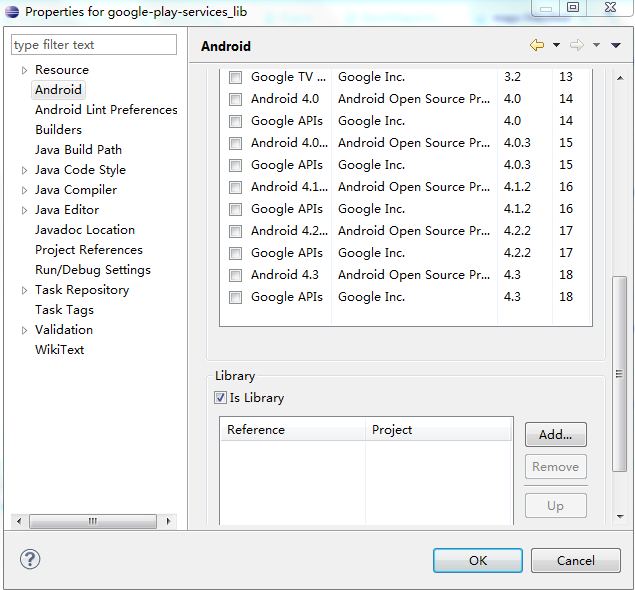
3.导入官网的maps例子工程
(1)File > Import > Android > Existing Android Code Into Workspace and click **Next
**
**(2)Browse..., enter
(3)Project > Properties, select Java Build Path, and navigate to Libraries.
(4)Select Add External Jars, include the following jar files, and click OK: +
(5)在AndroidManifest.xml文件中添加你自己的 Google Maps Android API key.
**
<meta-data android:name="com.google.android.maps.v2.API_KEY" android:value="API_KEY"/>
**
(6)Run > Run to test the sample app.**